A fresh sidebar and credit top-ups
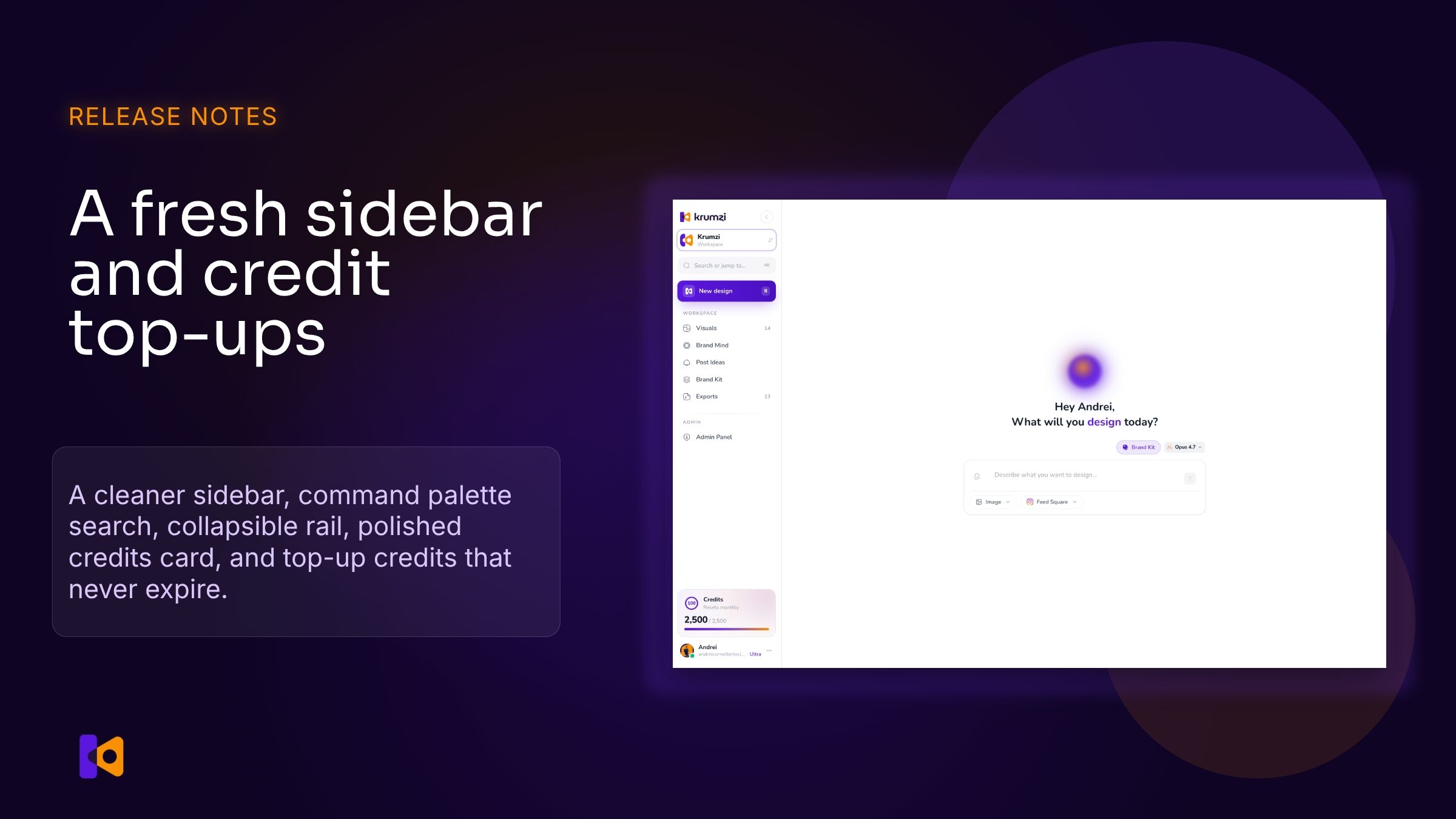
The sidebar got a real redesign, and you can now top up credits whenever you want.
A cleaner sidebar
The whole left panel is rebuilt:
A new workspace switcher at the top, with your active workspace name and a clear way to swap between brands.
A search bar that opens a ⌘K command palette to jump anywhere instantly. Try G then V for Visuals, G then B for Brand Mind, G then P for Post Ideas, G then K for Brand Kit, G then E for Exports, or just N to start a new design.
The sidebar collapses into an icon rail when you want more canvas. Click the chevron next to the logo to fold it; click the chevron at the bottom of the rail to expand again.
A polished credits card showing your monthly grant with a circular progress ring and a clear "Resets monthly" hint.
A profile menu that consolidates Account settings, Billing, Help center, Contact support, Send feedback, and Leave a review in one dropdown. Cleaner than the old footer link list.
Credit top-ups, never expire
If you've ever run out of credits before the month ended, this is for you. We added three credit packs to the billing page:
Snack for a small overrun.
Booster for the most common case.
Power-up for heavy weeks.
Top-up credits never expire. Krumzi spends your monthly plan credits first, then dips into top-ups only when the plan bucket is empty. So a top-up is real reserve budget you keep until you actually need it. You can buy them on Starter, Pro, Ultra, or with a Lifetime license. Trial users see plan upgrades only.
If you're on Ultra and run low, your sidebar now points you straight to the top-up section. If you're on a lower plan, you'll see "Upgrade" and land at the plans grid first.