A rebuilt Visuals library
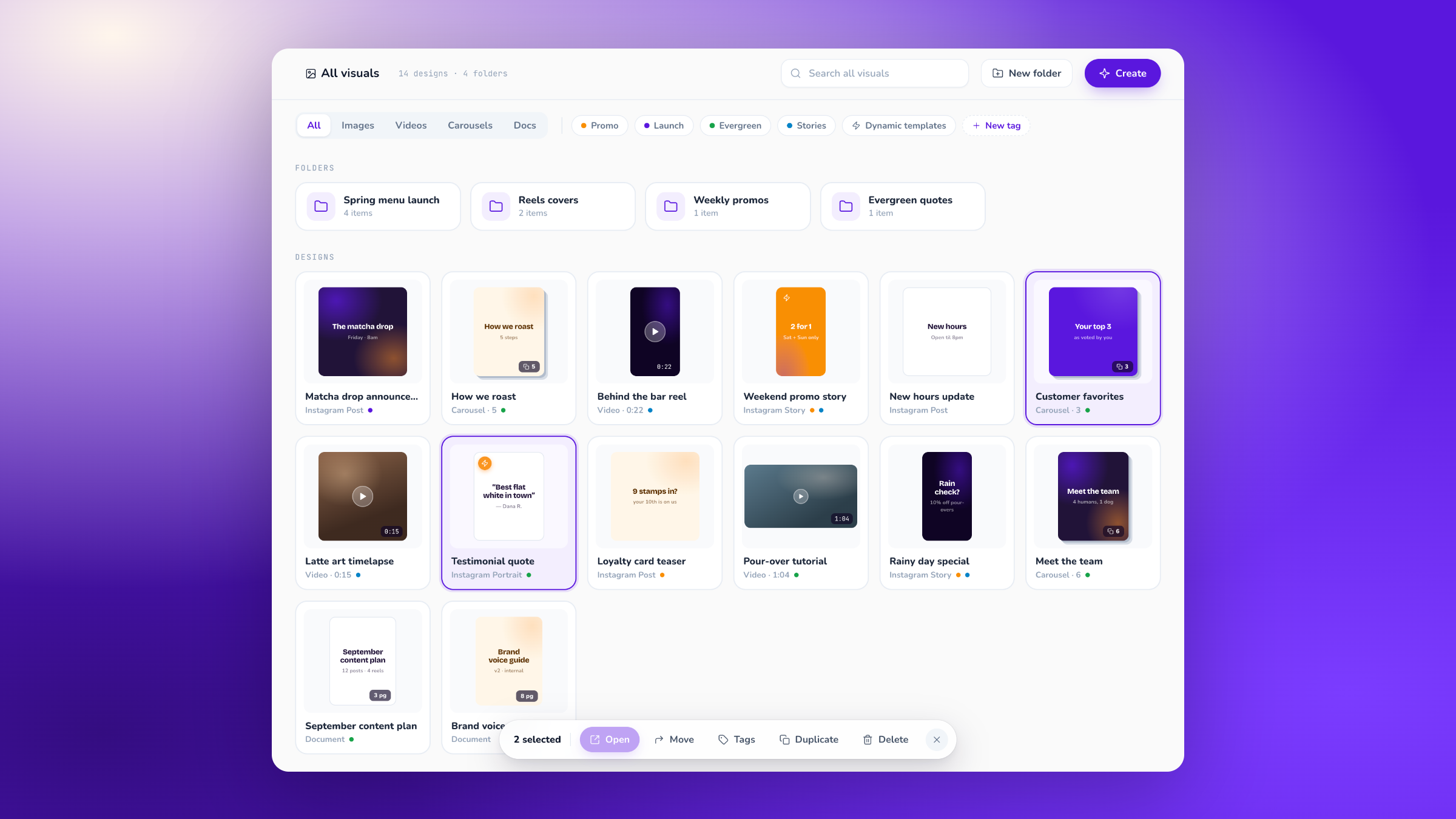
Visuals got a full rebuild. Same library, much faster to move around in, and it now shows you a real preview of every design instead of a tiny thumbnail.
Search your whole library
The search box in the toolbar looks everywhere, not just the folder you're standing in. Start typing and you'll get matching folders and designs together. Clear it to go back to where you were.
Filter without reloading
Under the toolbar there's a row of chips. Pick a type (All, Images, Videos, Carousels, Docs) or click any of your tags. Everything filters instantly. A dashed Clear chip shows up whenever something is narrowing the view.
Select the way you'd expect
Click to select one. Cmd/Ctrl + click to add or remove. Shift + click to grab a run. Drag a box across empty space to lasso a group. Cmd/Ctrl + A takes everything, Esc clears it.
Drag onto folders, and undo it
Drag designs and folders onto any folder card, or onto a step in the breadcrumb trail to send them up a level. If you grab something while several items are selected, the whole selection comes along. Changed your mind? Every move now leaves a toast with an Undo button.
Right-click anything
Right-click a design or folder for Open, Quick preview, Rename, Duplicate, Move to, Tags and Delete. Right-click empty space for New folder and Select all.
Make tags on the spot
Hit New tag from the filter row, from the Tags popover in the bottom bar, or from the right-click Tags menu. Name it, pick a color, and the preview shows you exactly how it'll look. Anything you had selected gets tagged the moment you create it.
Rename in place
Press F2 (or right-click and pick Rename) to rename right in the grid, folders included. Creating a new folder drops you straight into the name field, so just type and hit Enter.
Peek with the spacebar
Select a design and press Space for a full-screen preview. Use the arrow keys to flick through the rest, Space or Esc to close.
One thing worth knowing: deleting is still permanent, so it asks you to confirm rather than offering an undo. Moving is the reversible one.