Keep or discard AI changes
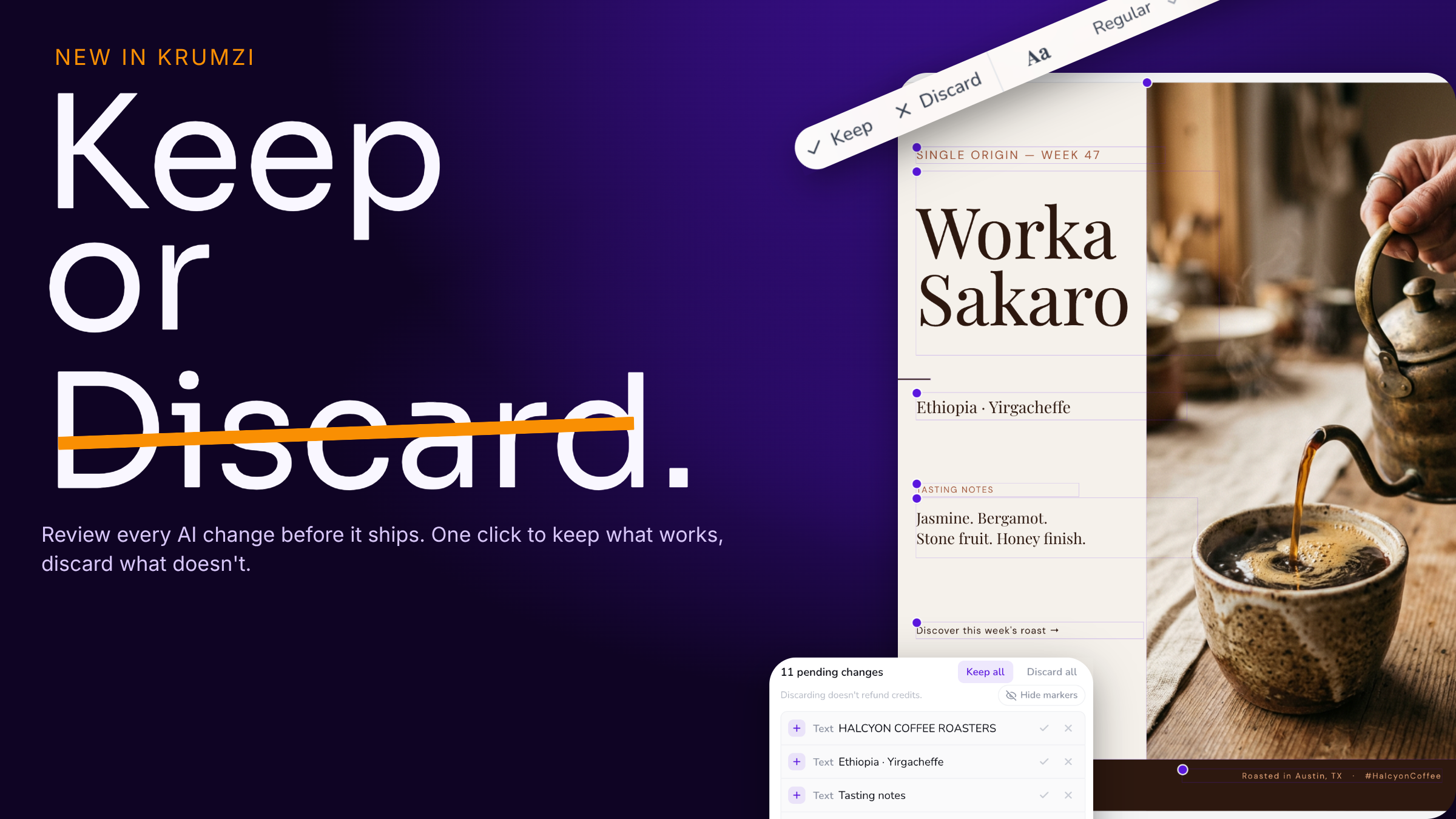
Now you're in control of every edit the AI makes.
When you ask Krumzi to change a design, it no longer just commits the work and hopes you like it. Every element the AI adds, tweaks, or removes shows up for review and you decide what stays.
Here's how it works:
Spot changes at a glance. Each changed element gets a small dot on the canvas, so you can see exactly what the AI touched.
Keep or discard one at a time. Click an element and you'll find Keep and Discard right in its toolbar. Loved that new headline but not the shape it added? Keep one, toss the other.
Or handle it all at once. The review panel in the chat lists every pending change. Hit Keep all or Discard all when you're ready.
See the clean version anytime. Toggle the markers off to preview your design exactly as it'll look, with no review clutter in the way.
Your pending changes stick around too - refresh the page or come back later and they'll still be waiting for your call. And you can keep chatting: the AI builds right on top of changes you haven't reviewed yet, so nothing slows down.
The result: experiment freely. Ask for bold changes, and keep only the ones that land.